


Tor Browser
4.58.62K Reviews
App Specs
- Version
- 15.0.24 (140.17.0esr)
- Updated On
- License
- Free
- Downloads
- 50,000,000+
- Developer
- The Tor Project
- Categories
- Communication
- Platform
- Android
Screenshots
 Analysis by AppCompare
I reach for a privacy-focused browser when I want to read about a sensitive subject without carrying that browsing trail into every site I visit afterward. That is the practical appeal of Tor Browser: it makes a different route through the web available on a phone, while asking me to accept a little extra friction. It is a free communication app from The Tor Project, and I see it as a useful tool for specific browsing sessions rather than a replacement for every app on my device.
That distinction matters. A privacy browser cannot make every online activity anonymous, and it cannot prevent me from identifying myself if I sign in to a personal account or share identifying details. I get the most from it when I treat it as one deliberate part of a browsing routine, not a magic switch that makes all risks disappear.
Choosing the right browsing session
For an everyday example, imagine I’m using public Wi-Fi and want to look up information about a personal matter. I can open Tor Browser for that search instead of using my usual browser, which may be linked to accounts and browsing habits I use elsewhere. I can read, compare sources, and make notes without assuming that this choice hides me from every service I interact with.
This kind of separation is also handy for checking how a page appears outside my normal browser routine. A journalist, researcher, or curious reader might want to consult sources without bringing along the same familiar browsing context. I would still be careful with downloads, logins, and anything that reveals who I am: the browser’s privacy approach does not erase information I choose to hand over.
If I only want to stop ordinary sites from following me with third-party trackers, a mainstream browser’s privacy settings may be easier for quick, casual use. I turn to Tor when I value the different network route enough to tolerate slower pages and occasional compatibility issues. That trade-off makes it a considered choice, not an automatic upgrade for every web task.
A few habits that make it work better
I keep a Tor session focused. If I’m doing sensitive reading, I avoid mixing it with routine accounts or unrelated browsing just because the same window is open. Logging into an account can connect a session to my identity, so I don’t treat a changed network route as a substitute for separating personal and anonymous activity.
I also give a page time to load before deciding it has failed. The route through the Tor network can make browsing feel less immediate than in a conventional mobile browser. If a site refuses to work, I first consider whether the site itself is restricting access or relying on features that do not behave well in this setting; repeatedly refreshing is rarely a useful fix.
Worth Reading Before You Choose

Flipboard Shows What News Apps Must Do Beyond the Feed

Switching to Android Auto Means Rethinking Your Driving Routine

Google Calendar Makes a Crowded Week Easier to Manage

Ludo King Makes the Most of the Minutes Between Plans

Baby Panda World Brings Quick Play to Modern Phones, but Its Game Library Feels Busy

ESPN’s Live Game View Makes Following Close Games Easier
For research, I make notes outside the browser and keep only the information I actually need. That avoids relying on a browsing history as my record of what I found, and it helps me be intentional about files or details I choose to save. The useful habit is not complicated: decide what I need, browse with care, and remember that privacy tools work best alongside cautious choices.
On Android, the app is available for devices running version 5.0 or later. Its current version is 15.0.14 (140.11.0esr), and it is rated for Everyone. It has a 4.5 average from around 282,000 ratings and more than 50 million installs, which suggests it has reached a broad audience without making it the right fit for every browsing style.
First Impressions and Setup
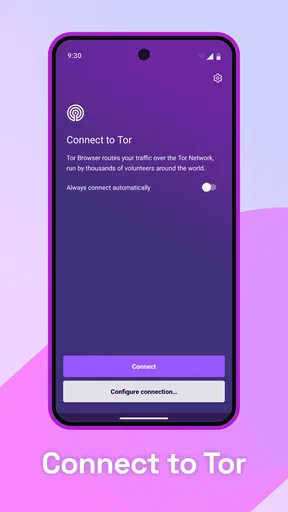
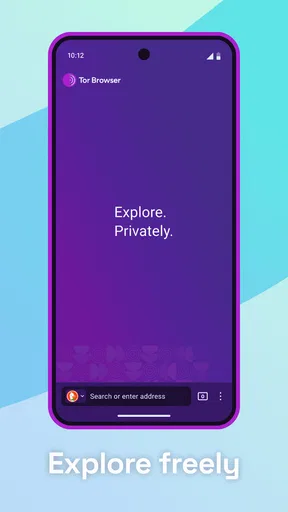
When I first downloaded the Tor Browser, I wasn’t quite sure what to expect. The installation was straightforward—just like any other browser. No rocket science involved here, folks. After launching it, I was greeted with a simple, no-frills interface. It felt familiar, yet different, like Chrome’s minimalist cousin.
What really caught my attention was the focus on privacy right from the get-go. Before you even start browsing, Tor tells you it’s all about keeping your online activities under wraps. It’s like having a digital cloak of invisibility!
Browsing Experience
Now, onto the browsing experience itself. Let me tell you, surfing the web with Tor is like taking the scenic route. Pages load a bit slower than your typical browser, but that’s the trade-off for anonymity. And honestly, it's a small price to pay if you’re concerned about privacy.
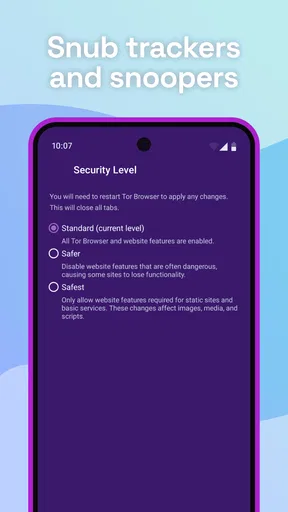
One thing I noticed is how liberating it feels not having ads track you around the web. It’s like going to a concert without someone trying to sell you overpriced merchandise at every corner. Plus, Tor blocks third-party trackers automatically, so you’re not leaving digital breadcrumbs everywhere you go.
Security and Privacy Features
Let’s talk security. Tor doesn’t just say it’s secure; it proves it. The browser routes your traffic through a network of servers—called nodes—making it nearly impossible for anyone to trace your IP address. It’s like sending your data on a secret mission.
One standout feature is the “New Identity” option. With a click, you can change your IP address and clear your browsing history. It’s perfect for those moments when you want to shake off any lurking digital eyes.
Also, Tor comes with the HTTPS Everywhere extension pre-installed, ensuring that your connection is encrypted whenever possible. It’s like having a personal bodyguard for your data.
Usability and Limitations
Now, I won’t sugarcoat it—Tor isn’t for everyone. If you’re all about speed and seamless streaming, you might find it a bit slow. But if you value privacy over performance, then Tor is your go-to.
Another thing worth mentioning is that not all websites play nice with Tor. Some sites might block Tor users due to potential misuse, but that’s just part of the package when you’re using a privacy-focused browser.
The Verdict
So, what’s the final word on the Tor Browser? If you’re someone who’s serious about online privacy and anonymity, this app is a must-try. It’s not about living off the grid; it’s about taking control of your digital footprint.
Sure, it might not be the fastest or the most compatible with every site out there, but the peace of mind it offers is undeniable. It’s like having a VIP pass to the internet, where you decide who gets to see your moves.
Whether you’re a privacy enthusiast or just curious about keeping your online activities private, give Tor a spin. You might just find that the extra layer of security is exactly what you’ve been looking for.
Where I draw the line
I would not choose Tor for every routine task. If I need a site to work smoothly with several logins, quick checkout steps, or uninterrupted video, my usual browser is often the more comfortable option. The extra network routing can slow down a session, and a site may challenge or refuse a connection. For shopping, banking, or anything where I need the convenience of a saved account, I weigh that friction against the benefit instead of assuming Tor is automatically the best tool.
There is also a useful distinction between privacy and security. Tor can make it harder for a destination site to see my ordinary network address, but it does not make a risky download safe or stop me from being recognized by information I provide. I avoid treating the browser as protection from every threat, and I remain cautious about attachments, forms, and account details just as I would elsewhere.
For someone deciding whether to keep it installed, I’d ask one simple question: do you have occasional browsing sessions where a different route and less tracking matter more than speed? If yes, it can earn a place alongside a standard browser. If you want one app to handle fast streaming, everyday account management, and every site without interruption, you may be happier with your regular browser’s privacy controls.
A grounded recommendation
The Tor Project’s browser is best when I choose it with a clear purpose: reading, researching, or visiting pages where I would rather not use my ordinary browsing context. Its privacy-oriented approach is the point, while slower loading and site restrictions are real costs rather than minor details to ignore. I wouldn’t recommend it as a cure-all, but I do recommend it to people willing to make that trade consciously.
It is free, and its large community of users makes it easy to find advice about browsing thoughtfully, though I still judge each session by my own needs. I’d start with a low-stakes search, learn how the pace and site compatibility feel on my device, then decide which tasks deserve a dedicated privacy-focused session. That is a more realistic way to use it than expecting every page to behave exactly as it does in a conventional browser.
Pros
- Enhanced privacy features keep your data secure.
- Blocks trackers and ads for a cleaner browsing experience.
- Access to the dark web for those who need it.
- Regular updates ensure security and stability.
- Open-source
- allowing for community-driven improvements.
Cons
- Slower browsing speed compared to standard browsers.
- Not ideal for streaming or downloading large files.
- Some websites may restrict access via Tor.
- Limited extensions compared to other browsers.
- Initial setup can be confusing for beginners.
FAQs for Tor Browser
What is Tor Browser and why should I use it?
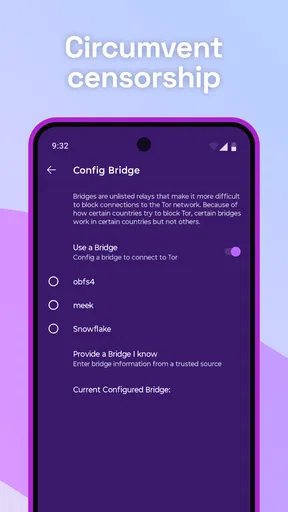
Tor Browser is a web browser designed to protect your privacy and anonymity while browsing the internet. It routes your connection through multiple servers to conceal your IP address and online activity. This makes it useful for accessing restricted content, avoiding censorship, and maintaining privacy online.
Is Tor Browser safe to use on mobile devices?
Yes, Tor Browser is designed with security in mind. It encrypts your data and anonymizes your connection, making it difficult for trackers and surveillance tools to monitor your activity. However, users should remain cautious, as no tool can guarantee complete anonymity or protection against all threats.
Can I access all websites using Tor Browser?
While Tor Browser allows access to most websites, some sites may block connections from the Tor network due to security concerns. Additionally, accessing websites in countries with strict internet regulations may still be challenging. Users should also be aware of the legal implications of accessing certain content in their region.
Will using Tor Browser affect my browsing speed?
Yes, since Tor Browser routes your connection through multiple servers to ensure anonymity, it may result in slower browsing speeds compared to standard web browsers. This is a trade-off for enhanced privacy and security, and users should weigh these factors based on their browsing needs.
Does Tor Browser work on both Android and iOS?
Tor Browser is available for Android devices and provides a similar level of anonymity and privacy as the desktop version. For iOS users, the recommended app is Onion Browser, which offers many of the same features and is developed with input from the Tor Project team.


